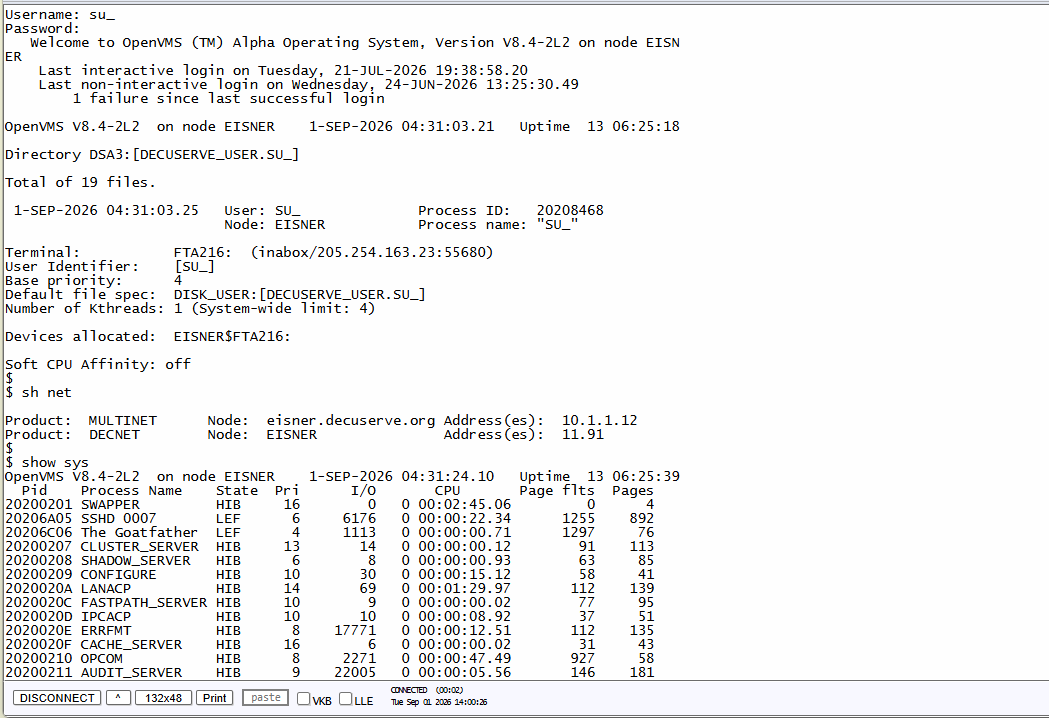
A live OpenVMS V8.4-2L2 session — show sys, show net, and standard DCL, all from a browser tab.
For anyone just starting out, this is the lowest-friction way in — a real OpenVMS terminal session running in your browser. Practice DCL, work through queue management, and test commands without touching an emulator, a VM, or a single line of setup on your own machine.
A live OpenVMS V8.4-2L2 session — show sys, show net, and standard DCL, all from a browser tab.
No emulator downloads, no VirtualBox configuration, no ISO images. If you're brand new to OpenVMS, this is running for you in less time than it takes to read the docs.
Every command you run is genuine DCL against a real OpenVMS system. What you learn here is exactly what carries over to production environments.
Beyond basic commands, this is where mentees get comfortable with batch and print queue management — the day-to-day operational work that documentation alone doesn't teach.
If you're new to OpenVMS and want to start typing commands instead of reading about them, this is the fastest way in.
Start a Conversation →