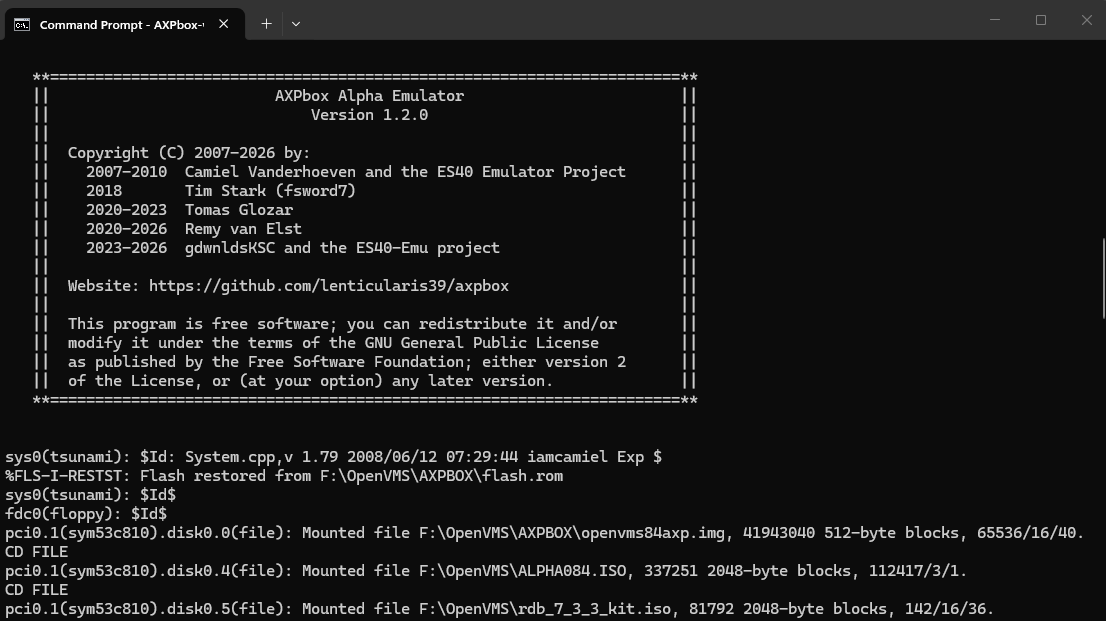
AXPbox: a real Alpha, virtually
AXPbox emulates actual AlphaServer hardware closely enough to run unmodified OpenVMS and Oracle Rdb media. Here it's mounting the OpenVMS 8.4 disk image straight off ISO — the same media you'd load on physical Alpha hardware.
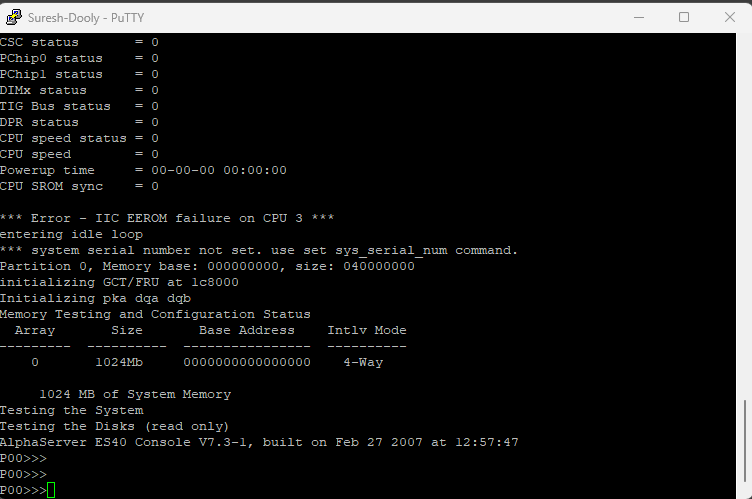
Below the OS, before it even boots
Before OpenVMS ever loads, the AlphaServer firmware — the SRM console — tests memory, checks the disk array, and waits at a P00>>> prompt. This is where you set boot devices, diagnose hardware, and issue the boot command by hand.
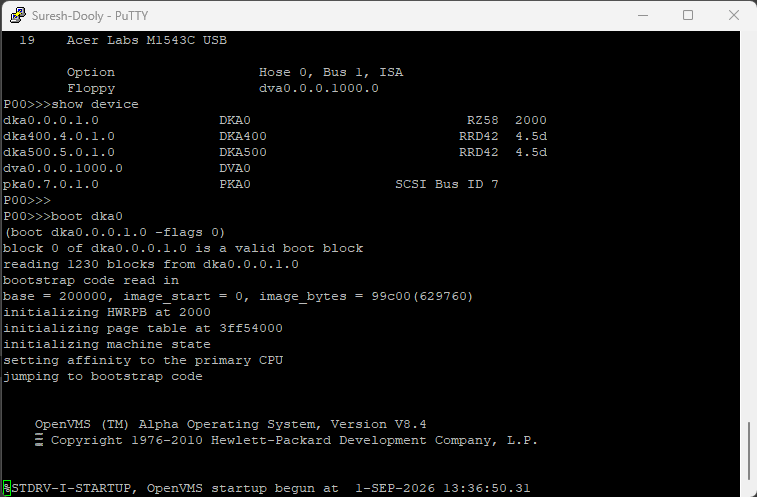
Watching the OS come up, live
A "show device" to confirm the boot disk, then "boot dka0" — and OpenVMS V8.4 takes over from the firmware, initializing HWRPB, page tables, and machine state before startup even begins. This full sequence is exactly what a mentee walks through hands-on.
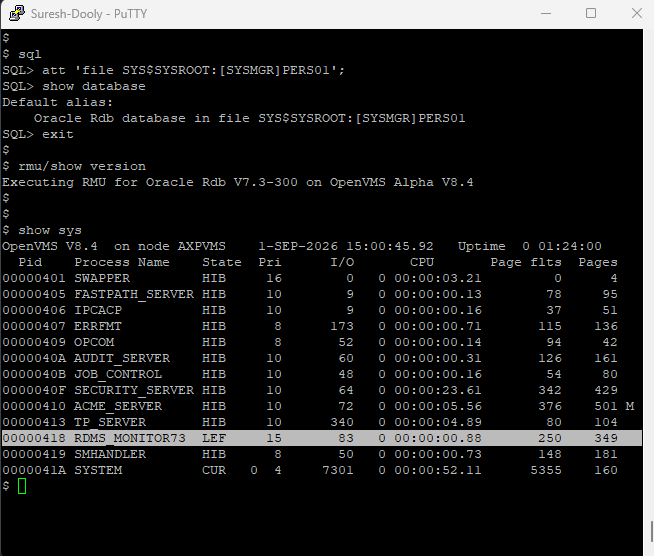
The database that runs on top
Once the OS is up, SQL attaches to the Rdb database, RMU confirms the version in play (V7.3-300), and "show sys" reveals the RDMS_MONITOR process quietly keeping the database alive in the background.
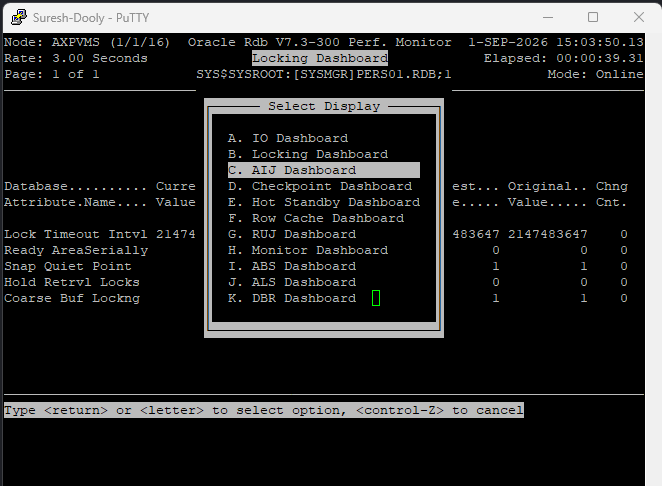
RMU's Performance Monitor, live
RMU's real-time monitor gives a menu of dashboards — I/O, locking, checkpoints, hot standby — updating every few seconds. This locking dashboard is exactly where you'd start diagnosing contention on a busy production system.